

Simulations
The Operations Pool
Watch bank processes run, find the bottleneck and simulate the fix.
For Enterprise Clients. Read the one-page brochure, or send a demo request.
More detail
A bank cannot fix what it cannot see. The Operations Pool lets teams pick any of 999 bank operations processes and watch them run, with their queues, takt time, bottlenecks and missed service levels, then simulate them as teams with forms and live Operations and COO dashboards. For Enterprise Clients, by a demo request.
- Three steps lead from the whole bank to a process: an operations stage, a department and a unit. Up to six processes then race side by side.
- In a simulation each team has its own instance, with manual or automated steps and forms.
- The dashboards show demand against supply, queues, bottlenecks and service-level flags, live.
- A one-day workshop mode comes with a facilitator guide.
- The catalog is an illustrative reference model set in the fictional Al-Qimma Bank. Times and targets are examples, not benchmarks.
L0 · Bank value chain
1
L1 · Operations value chain
2
L2 · Operations departments
Eighteen departments, five or six units each. Press again to clear.
3
L3 · Units
Each unit owns seven to twelve processes.
In the pool
ActivityDecisionCustomer3QueueSlower than taktRework loop
Bottleneck advisor
The catalogue is an illustrative MTWAFIQ reference model set in the fictional Al-Qimma Bank. Each process gets generated steps from its type (onboard, originate, service, transact, reconcile, control, resolve) with cycle times, people, first-pass yield and one planted bottleneck. The model is for learning, not benchmarking.
How it works
Step by step, as it looks on the screen. The cases and banks are fictional; the figures are illustrative.
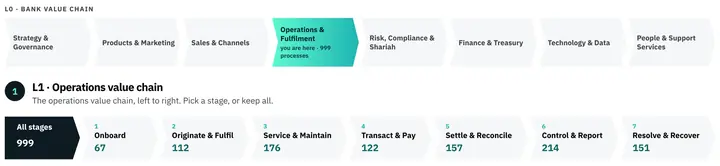
Start from the whole bank: its value chain. 
Pick an operations stage. 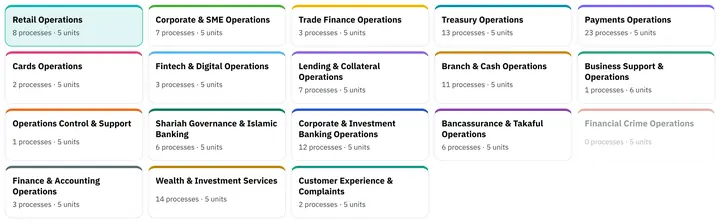
Pick a department. 
Pick a unit. 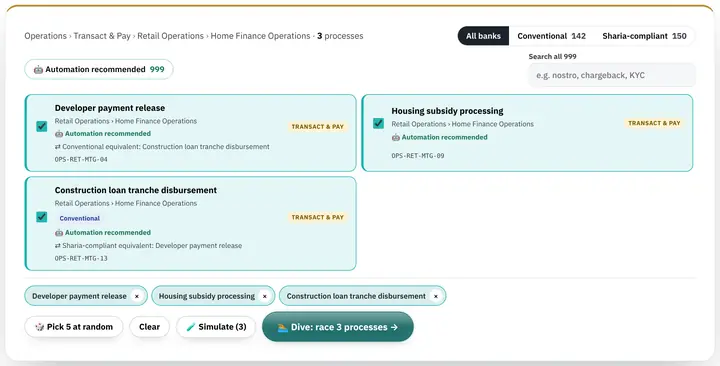
Tick up to six of its processes, then dive into the pool. 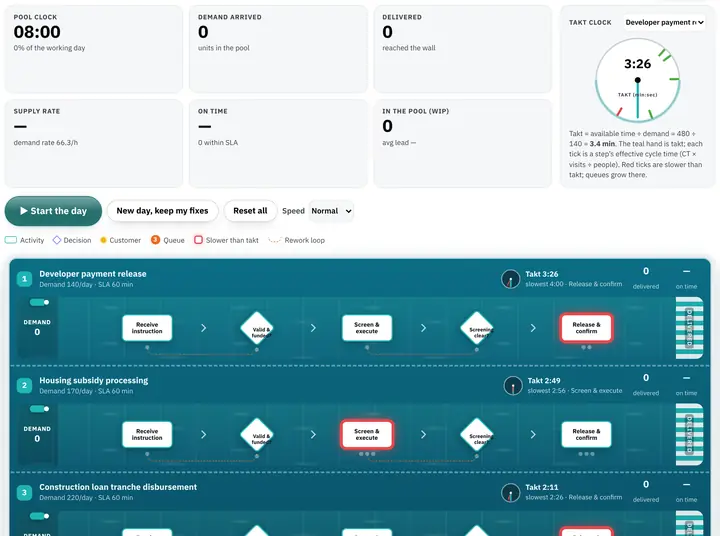
The processes wait side by side: steps, queues and takt time. 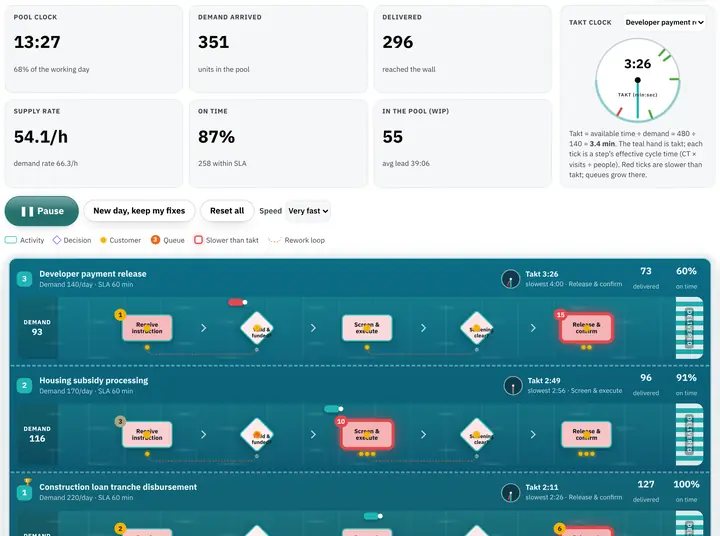
Start the day: customers flow, queues build and the bottleneck turns red. 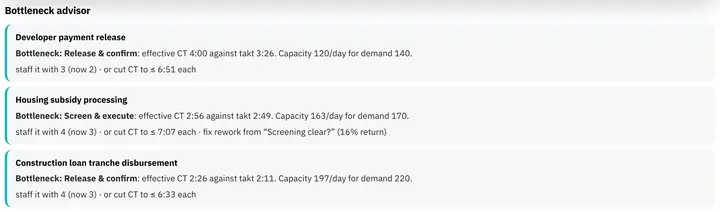
The bottleneck advisor names the step to fix first.
Read the brochure
For Enterprise Clients. The one-page brochure says what it is, what you get and how to get access.